




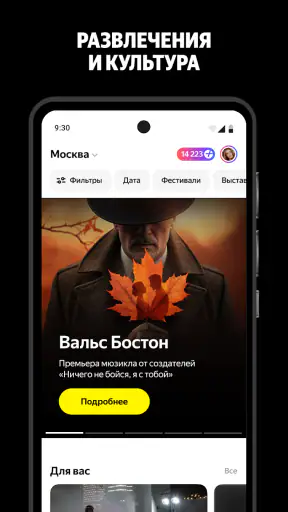
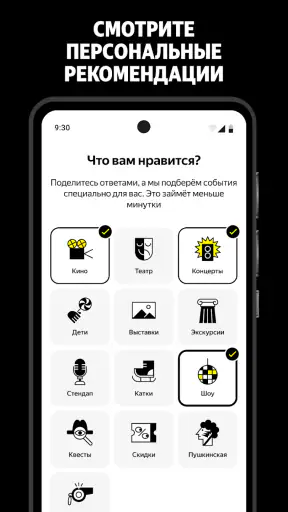
I usually judge ticket apps by what happens after the exciting part: whether I can understand the offer, control my account, and avoid unpleasant surprises before paying. Яндекс Афиша — билеты is built for that decision-making moment. It brings cinema, theater, concerts, plays, films, and excursions into one events-focused app, so I can browse cultural plans without jumping between several venue pages.
That broad selection is useful, but it also means the app deserves a careful look rather than an automatic recommendation. A ticket marketplace is handling choices that affect both money and personal information. My experience with this app is strongest when I use it as a discovery and comparison tool first, then slow down at the event and checkout stages. The best way to use it is deliberately: explore widely, verify the details, and keep control of the account and purchase decisions.
What the app feels like in everyday use
The app comes from Direct Cursus Computer Systems Trading LLC and is free to install. It is rated for Everyone, which makes the general audience broad, although the suitability of an individual film, performance, or excursion still depends on that event’s own details. The current version is 3.70.0, and it works on Android 8.0 or later.
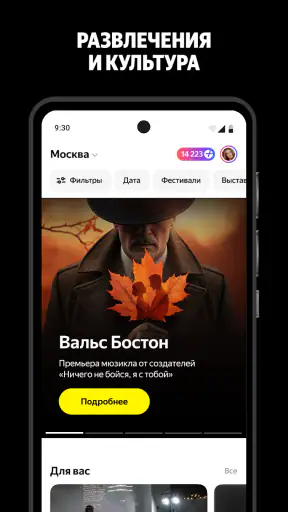
The first practical advantage is concentration. Instead of opening a cinema app for films, a theater website for plays, and a separate service for concerts, I can begin in one place and see what is happening around me. That does not make every listing equally relevant, but it shortens the first stage of planning. For a free evening, a weekend outing, or a last-minute search, this is more convenient than relying on scattered bookmarks and search results.
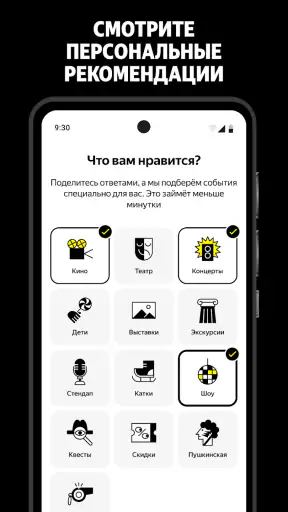
I also like the difference between browsing by habit and browsing by occasion. If I already know I want a particular film, a cinema-focused service may be quicker. If I only know that I want to go somewhere cultural, this app has a better chance of helping me discover an option I would not have searched for directly. That makes it especially useful for couples, families, and friends trying to agree on an activity rather than a specific title.
A realistic example is a Friday afternoon when I want to meet a friend but neither of us has chosen what to do. I can use the app to move from films to theater or concerts instead of treating the first search result as the only possibility. I would still check the date, location, age guidance, duration, and ticket conditions before committing, but the initial comparison is faster than visiting each organizer independently.
Discovery is the real strength
The app is more valuable when I do not have a fixed plan. Its combination of cinemas, theaters, concerts, plays, films, and excursions gives me a wider starting point than a single-purpose ticket service. That breadth can also create noise, so I would not open it expecting a perfectly curated answer immediately. I treat the first screen as a menu of possibilities, not as a recommendation I must follow.
One useful habit is to separate discovery from purchase. During the first pass, I compare event type, timing, venue, and practical travel considerations. On the second pass, I inspect the specific event page more carefully. This avoids the common mistake of choosing something because it looks appealing in a quick scroll, only to notice later that the location or schedule is inconvenient.
Another small but important trade-off is convenience versus directness. A venue’s own website may offer more specialized context for its program, seating, accessibility, or house rules. A general events app is better for comparing different kinds of plans, but it should not automatically replace the organizer’s own information when an outing has unusual requirements.
Trust begins with visible choices
A high public rating can make an app feel reassuring, but I do not treat popularity as proof that every transaction will suit me. Яндекс Афиша — билеты has an average rating of 4.6 from around 8.9 thousand ratings, with more than a million installs. Those figures suggest that many people find it useful, yet they do not remove the need to inspect the exact event and the account decisions I make inside it.
For me, trust in a ticket app is practical rather than emotional. I want to know what I am selecting, what information is requested during the process, and whether I can make choices without being pushed into extras. The app is easiest to trust when its screens make those decisions understandable. If a page feels crowded or an important condition is easy to overlook, I slow down and verify it before moving forward.
I would also avoid judging the developer solely by the app’s visual polish. Direct Cursus Computer Systems Trading LLC is the named developer, but the useful question for a user is how clearly the app presents event information and account actions. A recognizable developer name does not make every listing identical, because the actual experience can depend on the venue, organizer, event type, and ticket rules.
Account control matters more than convenience
Ticket services often become more useful once an account is involved, but an account also creates a data-sensitive moment. I recommend deciding consciously which account details are necessary for the task and which choices are optional. If the app presents sign-in, notifications, or personalization decisions, I would read the wording rather than tapping through automatically.
This is not about making the app difficult to use. It is about keeping a clear boundary between buying a ticket and allowing every possible convenience feature. A person who only wants a single cinema booking may prefer a minimal setup. Someone who regularly attends events may accept more account involvement in exchange for easier access to plans and purchase history. The right choice depends on how often the service will be used.
I would take the same approach to notifications. Reminders can be helpful for a performance or excursion, especially when the event is booked well in advance. However, I prefer to enable only the alerts that serve a clear purpose. If a notification setting is not relevant to my plans, leaving it off keeps the app quieter and makes the important messages easier to notice.
When an app asks for a permission, I look at whether the request matches the action I am trying to perform. A permission that appears during browsing deserves a different response from one that is clearly connected to a selected feature. I do not infer that a request is harmless just because the app is popular, and I do not infer that it is suspicious without seeing the actual wording. The useful habit is to inspect the request and choose based on my own need.
Data-sensitive moments before and after payment
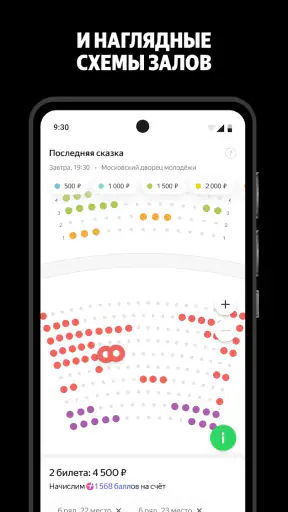
The most sensitive point is not casual browsing; it is the transition from interest to purchase. Before confirming anything, I would carefully check the event name, venue, date, start time, ticket quantity, and final amount shown on screen. This is particularly important when several performances or dates look similar. A few seconds of review can prevent buying the right event for the wrong day.
I would also pay attention to the difference between event information and account information. The event may require details connected with attendance or delivery, while the account may include information used to identify me or manage bookings. I prefer to provide what is needed for the selected transaction and avoid treating every optional field as mandatory simply because it appears in the flow.
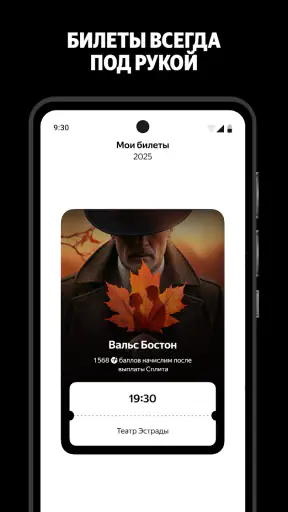
After a purchase, I would keep the confirmation available and check the practical instructions while the booking is still fresh. For a cinema visit, the key concern may be the session and venue. For a concert, play, or excursion, arrival instructions and location can be more important. This is one reason I would not rely only on a notification preview; I would open the booking details and read them directly.
There is also a privacy trade-off in convenience features. A service that remembers activity or sends timely updates may reduce effort, but personalization can involve more account activity than a one-time search. I would periodically review the controls visible in the app and keep only the options that genuinely help me plan. If I stop using the service, I would also review the account rather than leaving it unattended indefinitely.
Where it beats the usual alternatives
Compared with searching the web, the app offers a more focused path from “what can I do?” to a concrete event. Search engines are useful when I know the venue or performer, but they can mix official pages, old announcements, editorial results, and unrelated listings. A dedicated events app reduces that initial sorting work.
Compared with a cinema-only app, this service wins when the plan is flexible. I can consider a film, play, concert, or excursion in the same planning session. The cinema specialist is still the better choice for someone who cares mainly about screenings and wants a narrow, purpose-built experience.
Compared with buying directly from a theater or concert venue, the app is more convenient for cross-category comparison. Direct purchase can be preferable when I already trust a venue, need detailed venue-specific guidance, or want to inspect an organizer’s own rules. I see the two approaches as complementary: use the app to discover and compare, then read the event-specific information with the same care I would use on a direct site.
Compared with asking friends for recommendations, the app is better at turning a vague idea into available options. Friends may know what is enjoyable, but they may not know what fits my schedule or location. I would combine both: use personal suggestions for taste, then use the app to check the practical details.
Small workflows that make it more useful
My first workflow is a two-stage shortlist. I save or mentally note a few candidates during a broad browse, then compare them using only practical criteria: time, place, event type, and suitability for the people attending. This prevents the most attractive poster or title from dominating the decision before I have checked whether the outing actually works.
My second workflow is to search with the group’s constraints first. If I am arranging something for several people, I begin with the day and approximate time, then look at the event categories. This is more efficient than choosing a favorite event and discovering that nobody can attend. It also reduces repeated browsing across different services.
My third workflow is a final-screen pause. Before payment or confirmation, I stop scrolling and read the complete summary. I check whether the selected quantity and schedule match the plan, then look for any visible conditions that affect attendance. This is a simple step, but it is especially valuable in an app that covers many event types with different rules.
A fourth useful habit is keeping discovery separate from sensitive actions. I can browse casually without immediately signing in, enabling every alert, or entering information. When I find a suitable event, I make the account and permission decisions with a clear purpose. That gives me more agency and makes it easier to understand why each piece of information is being requested.
Who should use it, and who should skip it?
I would recommend the app to people who regularly choose between different cultural activities, especially those who want one place to explore films, theater, concerts, plays, and excursions. It is also a good fit for spontaneous planners who need ideas rather than a single predetermined venue. Since the app is free and available to a broad age audience, the barrier to trying it is low.
It is less suitable for someone who already has one favorite venue and never needs broader discovery. That person may find a direct venue app or website simpler. I would also hesitate to recommend relying on it alone for a complicated group outing until every participant agrees on the precise event details and the organizer’s conditions.
People who are highly sensitive to account activity or notifications should approach it with a minimalist setup. The app can still be useful for browsing, but they should make deliberate choices about sign-in, alerts, and any visible personalization controls. Convenience is not a reason to accept settings I do not understand.
Families should remember that an Everyone content rating describes the app’s general audience, not every event inside it. I would still inspect the individual film, performance, or excursion before booking for children. The same careful check applies to accessibility, arrival needs, and suitability for older relatives or anyone with mobility concerns.
My cautious verdict
Яндекс Афиша — билеты is a practical events app with a clear everyday advantage: it helps me look across several kinds of cultural plans instead of beginning with a collection of unrelated services. Its free access, broad event focus, and strong average rating make it easy to try, while the large install base indicates that it has reached a substantial audience.
My recommendation comes with a condition. I would use it as a planning and ticket-buying tool, but I would not switch off my judgment at checkout. I would verify the exact event, review the visible account and permission choices, and read the event-specific instructions before confirming. Those steps matter more than a polished browsing experience.
In the end, this is a good choice for discovery-led planning and for anyone who wants films, theater, concerts, plays, and excursions in one place. It is not automatically the best replacement for a specialist cinema service or a venue’s own site. If you value variety but still want control over what you share and what you book, this app is worth keeping available—used thoughtfully rather than passively.


